

Overview
Zuora supports two subscription term types:- Evergreen: subscriptions that renew automatically and have no fixed end date. This is the default behavior in Stigg’s Zuora integration.
- Termed: subscriptions with a defined start and end date. After the term ends, the subscription can either renew for another specific term or convert to an evergreen subscription, depending on the configured renewal settings.
Configuring termed subscriptions via metadata
To create a termed subscription in Zuora, add the relevantZUORA__ metadata keys to the subscription in Stigg. Stigg will map these to the corresponding Zuora fields when syncing the subscription.
All metadata values are case-insensitive.
ZUORA__PeriodType is deprecated in favor of ZUORA__InitialPeriodType and ZUORA__RenewalPeriodType, which allow the initial and renewal terms to use different period types. It is still supported for backward compatibility but will be removed in a future release — new integrations should use the split fields instead.Renewal behavior
TheZUORA__RenewalSetting and ZUORA__AutoRenew metadata keys control what happens when a termed subscription reaches its end date:
Example: creating a 12-month termed subscription
To create a subscription with a 12-month initial term that renews for another 12 months automatically, set the following metadata on the subscription:Example: different period types for the initial and renewal term
Some accounts need the initial term measured in days — for example, to align the first renewal with a specific calendar date — while renewal terms are measured in months. UseZUORA__InitialPeriodType and ZUORA__RenewalPeriodType instead of ZUORA__PeriodType to set this up:
Entering metadata in the dashboard
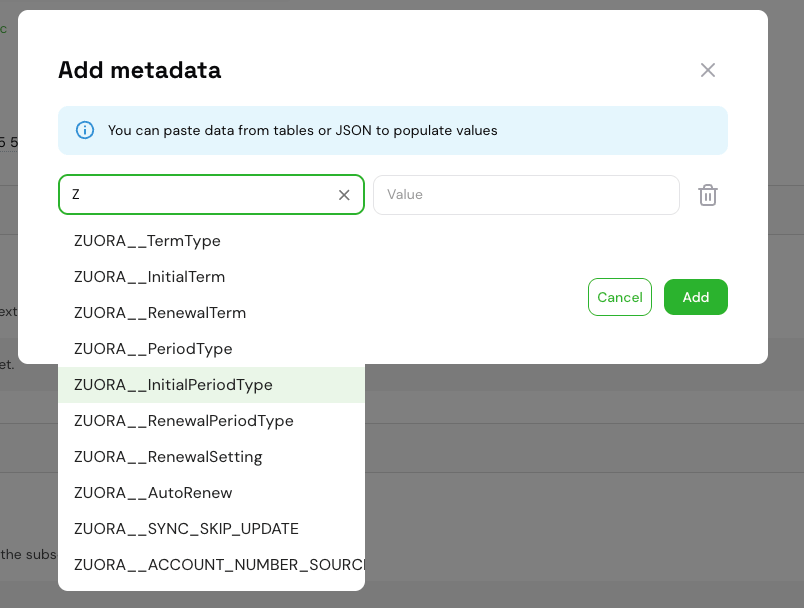
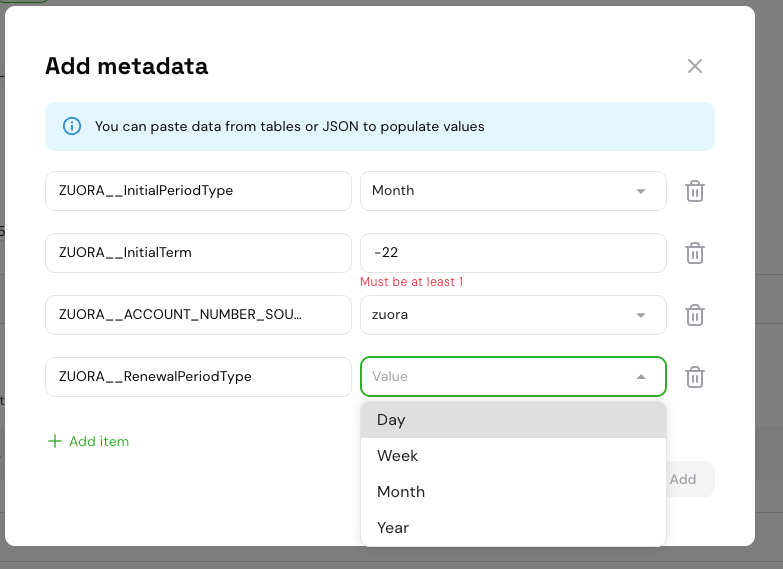
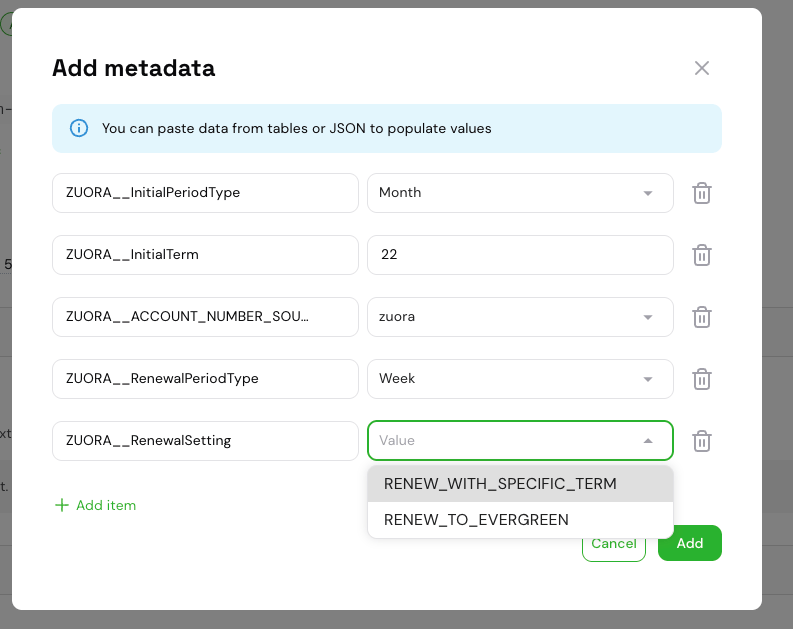
When adding or editing subscription metadata in the Stigg dashboard,ZUORA__ keys and their allowed values are available via dropdown menus — no need to type them manually.
- Key field: typing
ZorZUORAfilters the dropdown to show all supportedZUORA__keys. - Value field: for keys with a fixed set of allowed values (e.g.
ZUORA__TermType,ZUORA__PeriodType,ZUORA__RenewalSetting), the value field displays a dropdown with the valid options. For numeric keys likeZUORA__InitialTerm, a free-text input is shown instead.
Converting an existing subscription to termed
Subscriptions created in the Stigg dashboard are Evergreen by default. To convert an existing subscription to a Termed subscription, update its metadata directly from the subscription details page:- In the Stigg dashboard, navigate to the Subscription details page of the subscription you want to convert.
- Click Edit on the Metadata section.
- Add the relevant
ZUORA__metadata keys (see the configuration table above). Use the key and value dropdowns to reduce errors. - Save the changes.
If the subscription is already Termed in Zuora, updating these metadata values will issue an amendment to the existing term.
ZUORA__TermType to EVERGREEN and save.
For general information on how Stigg metadata is mapped to Zuora custom fields, see the metadata synchronization section in the Zuora overview.